


Vocallab AI: 7 Powerful Benefits & Hidden Drawbacks
Discover Vocallab AI’s voiceovers, cloning, captions, pricing, pros, cons, and AppSumo lifetime deal in this practical review.
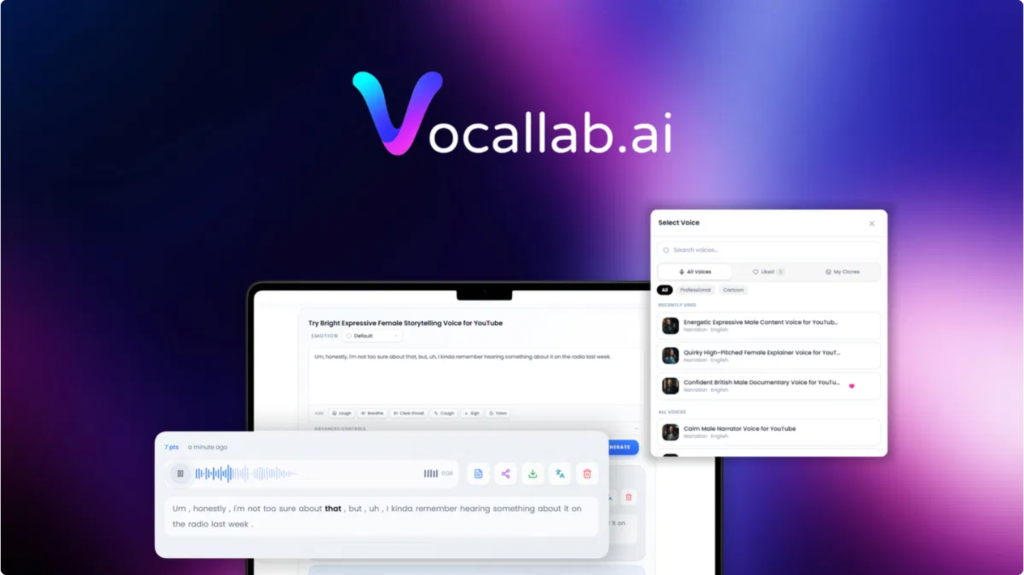
Vocallab AI takes a different approach by putting AI voice generation, voice cloning, custom voice design, audio exports, and captions inside one browser-based studio.
According to its current AppSumo listing, Vocallab AI offers access to 260 expressive AI voices, voice cloning from a short sample, MP3 exports, and word-level SRT caption generation. The platform is positioned for content creators, podcasters, YouTubers, and other users who need repeatable voice production without building a complicated audio workflow.
That combination is important because voice production is rarely just about generating speech. A typical workflow may involve writing a script, selecting a voice, adjusting delivery, generating audio, creating captions, exporting files, and moving everything into a video editor.
Vocallab AI attempts to bring several of those steps together.
For example, a YouTube creator could write a script, choose an AI narrator, adjust pacing, generate the voiceover, and export the audio and captions. A podcaster could use a consistent voice across episodes. A business could create narration for training videos or product explainers.
The product also includes tools for more expressive performances. AppSumo’s listing says users can add breaths, laughs, sighs, and throat clears with tags while choosing from eight emotions.
That makes Vocallab AI more than a basic text-to-speech generator. The goal is to give users control over how the generated voice performs rather than simply converting text into audio.
Another notable feature is voice design. Instead of only selecting an existing voice, users can describe characteristics such as accent, age, gender, and tone to create a new voice. The platform also provides voice cloning, allowing users to reuse a voice across projects.
This can be particularly useful when consistency matters.
Imagine creating 50 short-form videos. Recording every video manually could take hours. With a consistent AI voice, the creator can maintain a recognizable narration style while spending more time on scripting, editing, and publishing.
However, AI voice technology also requires responsible use. Voice cloning should only be performed when you have the necessary permission or consent to clone a person’s voice. AppSumo’s recent founder response specifically notes that its commercial-use coverage applies to professional voices and cloned voices where the user has documented consent from the person whose voice is being cloned.
That is an important consideration for businesses, agencies, and creators.
Vocallab AI Features Worth Knowing
The strongest part of the platform is its collection of features inside a single workflow.
AI voiceovers: Choose from a large library of voices and generate narration from written scripts.
Voice cloning: Create a reusable voice from an audio sample, making it possible to maintain a consistent voice across projects.
Voice Design: Describe the characteristics of a desired voice rather than relying exclusively on a predefined library.
Performance controls: Add expressive elements and select emotions to make generated narration more suitable for different scenes.
MP3 and SRT exports: Generate audio and captions without requiring a separate caption-generation workflow. AppSumo says the SRT files can provide word-level captions suitable for platforms such as YouTube Shorts, Reels, and TikTok.
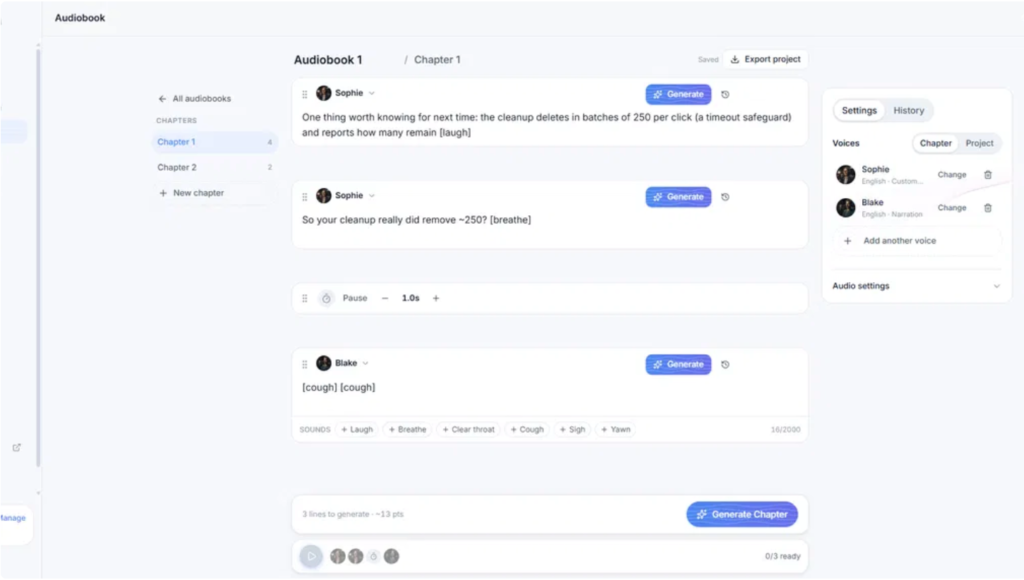
Audiobook workspace: The platform also includes an Audiobooks workspace for sequencing longer-form voice projects, according to the AppSumo listing.
API and MCP: Higher tiers add API access and MCP functionality. Vocallab’s documentation says its MCP server can connect with tools such as Claude Desktop, Claude Code, Cursor, and VS Code, allowing compatible AI tools to generate speech through a Vocallab account.
These features make the product potentially useful across several content workflows rather than only one type of project.
Who Can Benefit From Vocallab AI?
YouTubers can use AI narration for explainers, tutorials, documentaries, list videos, and Shorts.
Podcasters can experiment with consistent narration and supplementary audio content.
Course creators can turn written lessons into narrated educational material.
Marketing teams can produce voiceovers for advertisements, product demos, social videos, and internal presentations.
Agencies may benefit from higher-tier capacity when producing audio for multiple clients.
Authors and publishers can explore the audiobook workflow for longer-form content.
Developers may find the higher tiers useful when voice generation needs to become part of an automated application or AI workflow.
The key question is not simply whether Vocallab AI can generate a voice. Many modern AI tools can do that.
The more useful question is whether its combination of voice generation + cloning + voice design + captions + exports + automation options fits your workflow.
For someone producing occasional short voiceovers, a lower tier may be sufficient. Someone generating content at scale may need considerably more monthly capacity and additional features.
Vocallab AI Pricing: Choose the Right Lifetime Plan
The AppSumo deal is structured as a one-time payment for lifetime access, with multiple license tiers. The current AppSumo listing shows six tiers, ranging from $49 to $1,500.
| License Tier | Price | Access |
|---|---|---|
| Tier 1 | $49 | Lifetime access |
| Tier 2 | $139 | Lifetime access |
| Tier 3 | $299 | Lifetime access |
| Tier 4 | $699 | Lifetime access |
| Tier 5 | $999 | Lifetime access |
| Tier 6 | $1,500 | Lifetime access |
The exact feature and usage limits increase with the higher tiers. For example, the AppSumo listing currently shows Tier 1 with 50 minutes per month, while Tier 2 offers 150 minutes and Tier 3 offers 400 minutes. Higher tiers are designed for substantially greater usage and team or business requirements.
Tier 1 is aimed at lighter users who want to experiment with AI voiceovers without committing to a large plan.
Tier 2 provides more monthly generation capacity and expands voice cloning and voice-design allowances.
The AppSumo listing specifies API access at this level, while Vocallab’s MCP documentation states that MCP requires a Pro plan or higher.
Tiers 4 through 6 are better suited to heavier production requirements, teams, agencies, and users who need substantially higher monthly limits.
One useful point to remember is that lifetime access does not mean unlimited generation. The deal includes monthly usage limits, and those limits reset each month.
So the best way to evaluate a tier is to estimate how much audio you expect to generate every month rather than focusing only on the one-time purchase price.
What Makes Vocallab AI Different From a Basic AI Voice Tool?
The biggest distinction is the attempt to combine several production tasks into one browser studio.
A basic text-to-speech product may solve one problem: turning text into audio.
Vocallab AI goes further by combining voice selection, voice cloning, voice design, performance controls, audio exports, captions, and longer-form audiobook workflows.
That can reduce the number of tools involved in a content pipeline.
For example:
Script → AI voice → performance adjustments → MP3 → SRT captions → video editor
Instead of generating audio in one application and creating captions somewhere else, users can keep more of the process together.
There are also signs that Vocallab AI is being developed with automation in mind. Its MCP server supports speech generation and other voice operations through compatible AI clients, while its API is available on higher tiers.
That opens up possibilities for developers who want voice generation to become part of a broader AI workflow.
At the same time, there are practical limitations worth considering.
First, monthly limits matter. A lifetime license does not remove the platform’s monthly point or minute allowances.
Second, voice quality can vary depending on the voice, language, pronunciation, script, and desired performance. AI-generated speech is improving rapidly, but users should still listen to important recordings before publishing them.
Third, the voice library may not be equally extensive in every language or accent. Recent AppSumo discussions include user feedback about the availability of French voices, while the founder said the team plans to expand the French library.
These points do not make the platform unsuitable. They simply show why matching the product to your specific workflow is more useful than judging it only by the feature list.
Vocallab AI Pros, Cons and Buying Considerations
Pros
- Browser-based AI voice production
- 260 expressive AI voices listed by AppSumo
- Voice cloning
- Custom Voice Design
- Emotion and performance controls
- MP3 and SRT exports
- Word-level captions
- Audiobook workspace
- API and MCP options on higher tiers
- Lifetime AppSumo access
- 60-day AppSumo money-back guarantee
Cons
- Monthly usage limits apply
- Higher-volume users need more expensive tiers
- API and MCP are not available on every plan
- Voice availability can vary by language
- AI pronunciation and delivery should still be reviewed before publishing
- Voice cloning requires responsible use and appropriate consent
For many buyers, the most important consideration will be usage volume.
If you only need a few voiceovers each month, paying for a large tier may not make sense. If you’re producing hundreds of minutes of narration, the additional capacity and automation features may become more relevant.
AppSumo’s current listing also states that the purchase is covered by a 60-day money-back guarantee, giving buyers a defined period to evaluate whether the software fits their workflow.
Vocallab AI Deal Terms and Conditions
The AppSumo deal provides lifetime access to Vocallab AI.
The listed deal terms state that buyers receive future updates for the applicable Lite, Pro, and Studio plans. The terms also state that if the plan name linked to the deal changes, the license will automatically transfer to the new plan with its updates.
The important conditions include:
- Get lifetime access to Vocallab AI.
- Receive future updates associated with the applicable plan.
- Tier 1 corresponds to the Lite plan.
- Tier 2 corresponds to Pro without API and MCP.
- Tier 3 corresponds to Pro with API and MCP.
- Tiers 4–6 correspond to studio plans.
- Activate the license within 60 days.
- You can upgrade while the deal is live.
- Downgrades are permitted within 60 days of purchase.
- AppSumo provides a 60-day money-back guarantee.
Because software deals can change, buyers should always check the live AppSumo deal page for the latest pricing, availability, and exact tier terms before purchasing.
5 FAQs About Vocallab AI
1. What is Vocallab AI?
Vocallab AI is a browser-based AI voice platform for creating voiceovers, cloning voices, designing custom voices, controlling vocal performance, and exporting audio and captions. AppSumo currently lists 260 expressive AI voices along with MP3 and word-level SRT exports.
2. Does Vocallab AI offer lifetime access?
Yes. The AppSumo deal provides lifetime access through the purchased license tier. However, lifetime access does not mean unlimited monthly generation. Each tier has its own usage limits that reset monthly.
3. Which Vocallab AI plan includes API and MCP?
The current AppSumo listing shows API access beginning with Tier 3. Vocallab’s documentation states that MCP requires a Pro plan or higher.
4. Can I use Vocallab AI-generated audio commercially?
According to a recent response from the Vocallab founder on AppSumo, paid plans include commercial-use rights for generated audio, including use in broadcasts and products, subject to the stated conditions. For cloned voices, the person whose voice is being cloned must provide documented consent. Users should review the current licensing terms before commercial publication.
5. Is Vocallab AI suitable for YouTube and social media content?
It can be useful for these workflows because it combines AI narration with caption exports. AppSumo specifically describes its word-level SRT captions as suitable for formats including YouTube Shorts, Reels, and TikTok.
Final Thoughts on the Vocallab AI AppSumo Deal
Vocallab AI is built around a simple idea: make professional AI voice production easier to manage from one place.
Its combination of AI voiceovers, voice cloning, Voice Design, emotional controls, MP3 exports, SRT captions, audiobook tools, and higher-tier API/MCP functionality gives it a broader workflow than a basic text-to-speech generator.
The AppSumo lifetime structure may also appeal to creators and businesses that prefer a one-time software purchase instead of another recurring subscription.
Still, buyers should pay attention to monthly limits, language availability, tier-specific features, and their expected production volume. The right tier depends heavily on how much audio you plan to generate and whether you need automation or developer access.
If your goal is to create recurring video narration, podcasts, educational content, social media videos, audiobooks, or other voice-driven projects, Vocallab AI is worth evaluating against your actual monthly workload rather than simply choosing a tier based on price.
And with AppSumo’s stated 60-day money-back guarantee, buyers have a defined window to test the platform against their workflow before committing long-term.