


FeedBoss AppSumo Deal: 7 Powerful Ways to Grow LinkedIn
Discover the FeedBoss AppSumo deal, pricing, features, and plans to create better LinkedIn content with an AI strategist.
You need fresh ideas, useful posts, strong hooks, engaging visuals, and a consistent voice. For founders, creators, consultants, and social media managers, that can quickly become a full-time content task.
The FeedBoss AppSumo Deal takes a different approach.
Instead of positioning itself as just another AI writing tool, FeedBoss is designed as a LinkedIn content strategist that can help decide what to post, draft content in your voice, and use your own knowledge as the foundation for that content. AppSumo currently lists FeedBoss as a lifetime deal with four license tiers.
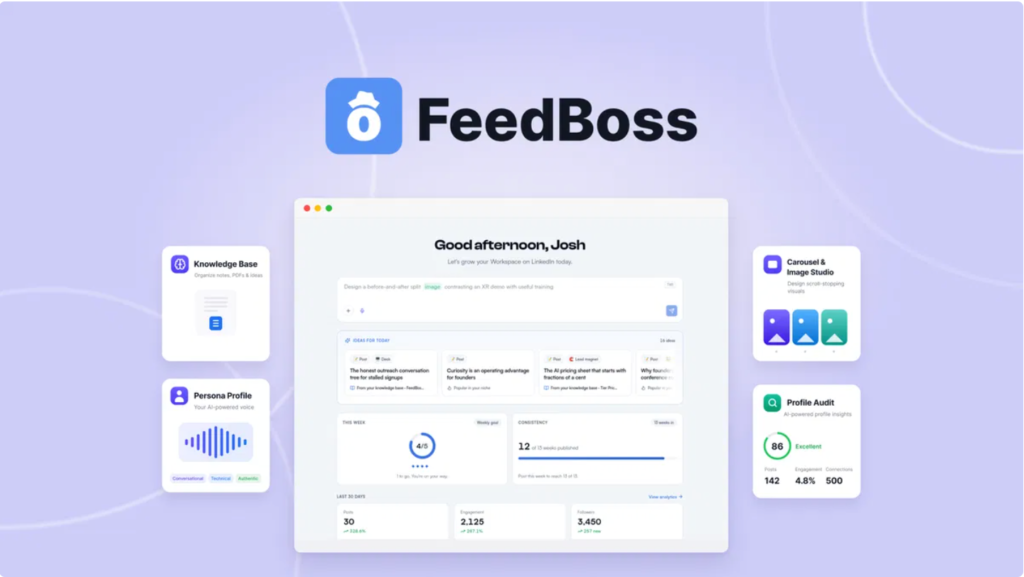
FeedBoss AppSumo Deal can generate LinkedIn posts as well as formats such as carousels, infographics, and slide decks. It also includes features for planning, analytics, engagement, knowledge management, and content creation.
That matters because the biggest problem with AI content is rarely the ability to produce words. The harder problem is producing useful content that actually sounds like you.
FeedBoss AppSumo Deal attempts to solve that by combining a profile/persona, knowledge base, content planning, and AI-generated drafts in one workflow.
For someone researching the FeedBoss AppSumo Deal, the key question is not simply, “Can it write LinkedIn posts?”
The better question is:
Can FeedBoss make LinkedIn content easier to plan, create, personalize, and manage consistently? What Is FeedBoss and Who Is It For?
FeedBoss is an AI-powered LinkedIn content platform built around the idea of having an always-available LinkedIn strategist.
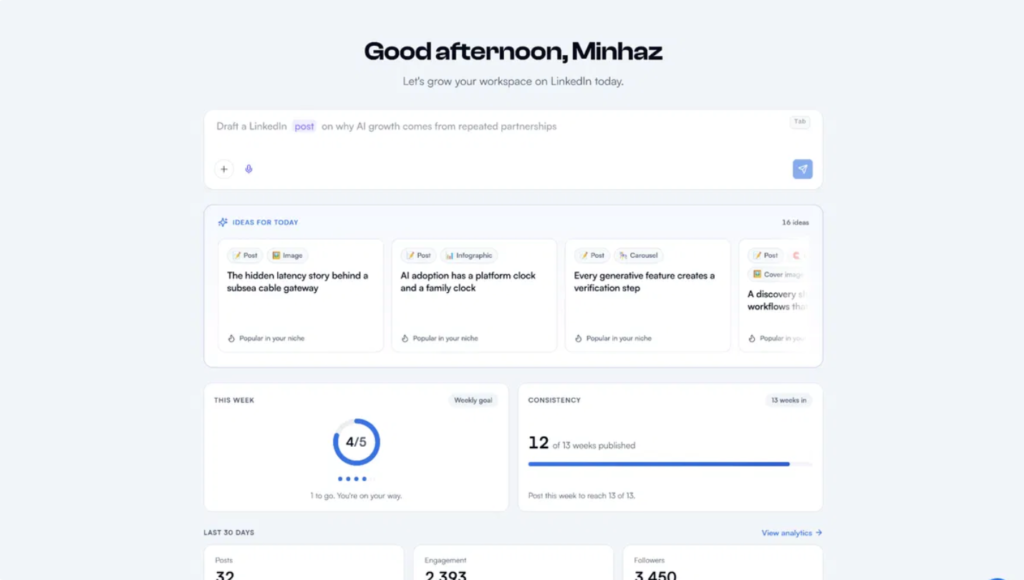
According to its AppSumo listing, FeedBoss can start sessions with curated post ideas based on your niche, expertise, and knowledge base. You can select an idea and have the platform draft the content.
This makes it particularly relevant for people who know their subject but struggle with the content-production process.
FeedBoss can be useful for:
- Founders building personal brands
- Consultants sharing expertise
- Coaches creating educational content
- Freelancers looking for inbound leads
- Content creators
- LinkedIn-focused social media managers
- Small marketing teams
- Agencies managing multiple profiles
The platform also supports multiple workspaces, members, LinkedIn connections, tracked engagement profiles, and media storage depending on the licence tier.
One important distinction is that FeedBoss is focused heavily on personal LinkedIn content. Its AppSumo FAQ says it currently publishes to personal LinkedIn profiles rather than automatically publishing to LinkedIn Company Pages. Company page content can still be created and planned, but publication to the page requires manual copying at present.
That distinction is worth considering before purchasing.
Why the FeedBoss AppSumo Deal Stands Out
The appeal of the FeedBoss AppSumo Deal is its combination of content strategy and content production.
Many AI writing platforms begin with a blank prompt.
You type something like:
“Write a LinkedIn post about personal branding.”
The result may be grammatically correct, but it can easily sound generic.
FeedBoss AppSumo Deal is designed to begin further upstream by using information about your profile, expertise, and knowledge. Its AppSumo listing describes a workflow that combines a persona profile, knowledge base, authority mapping, content ideas, and content generation.
Your knowledge becomes the content foundation
The knowledge base can be used to ground content in your own material. Depending on the tier, the knowledge base supports different inputs, including voice, text, PDFs, and conversational input.
That can be useful if you already have:
- Blog posts
- Business documents
- Case studies
- Client insights
- Presentation material
- Personal notes
- Industry knowledge
- Recorded ideas
Instead of repeatedly explaining your background to an AI tool, you can build a reusable source of knowledge.
It also targets AI-sounding content
FeedBoss says its drafts are designed to avoid generic AI filler and include a built-in “slop check” that looks for robotic patterns. It also says users can review and edit drafts before publishing.
This does not mean every generated post will automatically sound perfect.
Your own editing still matters.
The strongest workflow is likely to treat FeedBoss as a strategic assistant rather than a completely hands-off replacement for your judgement.
Key FeedBoss Features You Should Know
The FeedBoss AppSumo Deal combines several functions that would otherwise require separate tools.
Content ideas and planning
FeedBoss can provide post ideas based on your niche and knowledge. This addresses one of the most common LinkedIn problems: staring at an empty content calendar.
The platform also promotes an authority map designed to turn individual posts into a broader content strategy.
LinkedIn content creation
FeedBoss can create different types of content, including:
- Text posts
- Image content
- Carousels
- Infographics
- Slide decks
- Videos
- Lead magnets on eligible tiers
The exact availability depends on the licence.
Profile and content insights
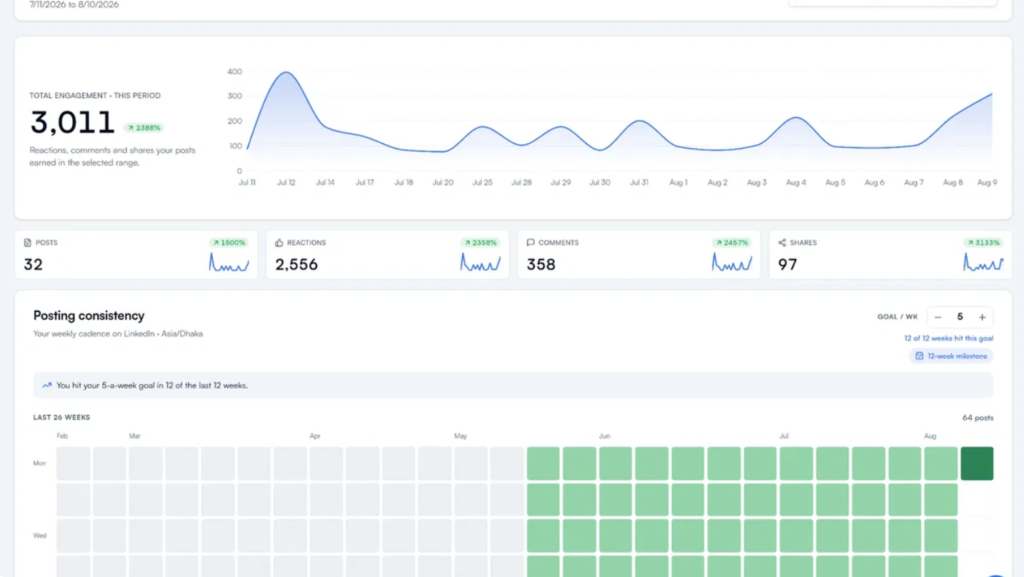
FeedBoss includes LinkedIn profile audits and analytics. Higher plans increase the number of monthly profile audits and tracked engagement profiles.
Engagement management
The platform also includes engagement-related functionality and tracking, allowing users to monitor profiles and interactions as part of their LinkedIn workflow.
Scheduling
FeedBoss includes post scheduling, making it possible to prepare content in advance instead of manually publishing every post.
AI integrations
The AppSumo listing identifies integrations with services including Google Gemini, LinkedIn, OpenAI, OpenRouter, and Claude.
Higher tiers also provide access to additional capabilities such as MCP integrations, API access, and bring-your-own-AI-key functionality.
FeedBoss Pricing: Choose the Right Lifetime Plan
The current AppSumo listing provides four lifetime licence tiers. The pricing supplied for this deal is shown below. AppSumo notes that the deal includes lifetime access and a 60-day refund window.
| FeedBoss Plan | Lifetime Price | Best For |
|---|---|---|
| License Tier 1 – Creator | $59 | Individual creators |
| License Tier 2 – Pro | $169 | Professionals and small teams |
| License Tier 3 – Studio | $339 | Growing teams and agencies |
| License Tier 4 – Scale | $499 | Larger teams and advanced workflows |
The plan limits scale considerably.
For example, the current AppSumo listing shows 400 monthly AI credits on Tier 1, 1,200 on Tier 2, 3,200 on Tier 3, and 5,000 on Tier 4. Monthly LinkedIn profile audits range from 5 to 50, while workspace and member limits also increase at higher tiers.
So the cheapest plan is not automatically the right plan for everyone.
License Tier 1 — $59 Lifetime Access
This is designed around an individual creator workflow.
It provides one LinkedIn connection, one member, one workspace, 400 monthly AI credits, and 2,000 one-time AI credits according to the current AppSumo plan table.
For a solo creator who primarily wants help with LinkedIn content, this can provide a straightforward starting point.
License Tier 2 — $169 Lifetime Access
Tier 2 increases capacity substantially.
The current AppSumo listing shows 1,200 monthly AI credits, 5 LinkedIn connections, 2 members, 5 workspaces, and 5,000 one-time AI credits.
This tier makes more sense when content production involves multiple profiles or a small team.
License Tier 3 — $339 Lifetime Access
Tier 3 expands the platform for larger workflows.
It includes 3,200 monthly AI credits, 10 LinkedIn connections, 10 members, and 10 workspaces under the current deal terms. It also unlocks capabilities such as MCP integration, according to the AppSumo listing.
License Tier 4 — $499 Lifetime Access
Tier 4 is designed for the largest workflow supported by the deal.
It includes 5,000 monthly AI credits, 25 LinkedIn connections, 30 members, 25 workspaces, 100 tracked engagement profiles, and up to 1 TB of media storage.
For agencies or organisations managing multiple people and content operations, the higher limits can become more relevant.
How to Build a Better LinkedIn Content Strategy With FeedBoss
Buying an AI tool does not automatically create a successful LinkedIn strategy.
The real value comes from how you use it.
A practical workflow can start with your expertise rather than generic trends.
Step 1: Build your knowledge base
Start by adding material that represents what you actually know.
Think about:
- Your best articles
- Frequently asked client questions
- Lessons from projects
- Product knowledge
- Personal experiences
- Industry opinions
- Case studies
- Common mistakes you’ve seen
This gives FeedBoss more context for generating content.
Step 2: Define your LinkedIn voice
Your LinkedIn audience should be able to recognise your perspective.
Decide whether your content should be:
- Educational
- Conversational
- Analytical
- Story-driven
- Practical
- Contrarian
- Data-focused
FeedBoss’s profile and voice-orientated functionality are intended to help make generated drafts more aligned with the creator.
Step 3: Use content pillars
Instead of publishing random topics, build three to five recurring content pillars.
For example, a SaaS founder might use:
- Product lessons
- Startup mistakes
- Customer insights
- AI trends
- Leadership lessons
Now every new post has a strategic home.
Step 4: Turn one idea into multiple formats
Suppose your core idea is:
“Why most SaaS onboarding fails.”
That single idea could become:
- A LinkedIn text post
- A carousel
- An infographic
- A short video
- A slide deck
- A lead magnet
FeedBoss supports several of these content formats, helping users repurpose ideas instead of starting from zero each time.
Step 5: Review before publishing
AI should accelerate your content workflow, not replace your expertise.
Before publishing, check:
- Is this actually true?
- Does it sound like me?
- Is the example specific?
- Does the opening earn attention?
- Is the advice useful?
- Does it contain unnecessary AI language?
- Would I say this publicly?
That final human review can make a major difference.FeedBoss Pros, Limitations, and Important Deal Terms
No software deal is perfect for every user.
The FeedBoss AppSumo Deal has several practical advantages, but there are also limitations buyers should understand.
Potential advantages
Lifetime access: The AppSumo deal provides lifetime access rather than requiring a traditional monthly subscription.
Content strategy: FeedBoss is designed around planning and ideas rather than simply generating text.
Knowledge grounding: Your own knowledge can become part of the content-generation workflow.
Multiple content formats: Users can create different types of LinkedIn assets from their ideas.
Analytics: The platform provides tools for tracking content and engagement.
Scalable plans: Four tiers make the deal suitable for individual users through larger teams.
That means users producing a lot of visual content should pay attention to their monthly allocation.
FeedBoss AppSumo Deal Terms, FAQs, and Final Takeaway
The AppSumo deal includes lifetime access to FeedBoss and future updates associated with the applicable Creator, Pro, Studio, or Scale plan.
Frequently Asked Questions
What is the FeedBoss AppSumo Deal?
The FeedBoss AppSumo Deal is a lifetime-access offer for FeedBoss, an AI-powered LinkedIn content platform. It helps users plan content, generate posts in their voice, use their knowledge base, create visual content, schedule posts, and analyse engagement.
Does FeedBoss automatically post to LinkedIn?
FeedBoss supports publishing to personal LinkedIn profiles. FeedBoss currently doesn’t support automatic posting to LinkedIn Company Pages.
Do I need to connect my LinkedIn account?
Not for every feature. FeedBoss states that a LinkedIn connection is needed for features that publish or take actions on LinkedIn. Content creation, knowledge-base functions, profile audits using URLs, and several other functions can be used without connecting a LinkedIn account.
Is the FeedBoss AppSumo Deal refundable?
Yes. AppSumo currently lists the FeedBoss deal as refundable for up to 60 days.
Final Thoughts
The FeedBoss AppSumo Deal is an AI writing tool. It helps you come up with useful LinkedIn content that reflects your experience, ideas, and personal style.
The platform combines content ideation, personal knowledge, voice matching, post creation, visual formats, scheduling, engagement, and analytics into one workflow.
Its biggest practical benefit is the potential to reduce the distance between “I know what I want to say” and “I have a polished LinkedIn post ready to publish.”
For individual creators, the $59 lifetime tier provides an accessible entry point. Teams, agencies, and users managing multiple profiles may need the additional capacity available in the higher tiers.
Use FeedBoss as a strategist and production assistant, not as a substitute for your expertise.